
How to produce a video for a complex product
We’ve had the privilege (and challenge) of explaining very complex products in a way that anyone can understand. That’s been one of our most important skills since the beginning of Picturelab.
And not only complex, but perhaps somewhat controversial. TechCrunch wrote how we do that in one of our explainer videos – it’s been a while but still relevant.
Whether it’s something in the fast-evolving AI world, or a product that most people didn’t even know could be possible, the challenge is the same: how do you turn something complex into something people can easily understand?
A great technology video doesn’t simply simplify information. It makes the technology tangible. It helps viewers see how something works, why it matters, and how it fits into their lives or businesses.
The key is to find the balance between technical accuracy, visual storytelling, and a clear, engaging narrative.
1) Start With the Audience, Not the Technology
One of the biggest mistakes in technology videos is trying to explain everything the product does. Before writing a script or planning visuals, ask yourself: who is watching this video, and what do they need to understand?
An engineer evaluating a new platform may want to understand its architecture, capabilities, and integration. A business decision-maker may be more interested in efficiency, scalability, and ROI. A consumer may simply want to know how the product makes life easier.
The same technology can require completely different videos depending on the audience.
Focus on what the viewer needs to know, not everything the product can do.
For example, for our Gong explainer, we had to show how their innovative product helps sales team leaders. It didn’t dive deep into how the technology works or all the different features. We just need to communicate to our target audience (Sales VPs and coaches) that Gong would make it easier for them to coach their teams and improve their sales performance in a quantifiable way.
Once you understand your audience, you can determine how much technical detail to include, which terminology to use, and what information deserves the most attention.
2) Translate Technical Features Into Real-World Benefits
Technical specifications are important, but they don’t always make for compelling storytelling. Instead of listing features, explain what those features actually accomplish.
For example, rather than explaining that a device uses an advanced sensor array, a video could demonstrate how those sensors allow the device to navigate a space, recognize obstacles, or respond to its environment.
Instead of focusing exclusively on processing speed, show how faster processing enables real-time decisions. Instead of describing an AI algorithm, demonstrate how it solves a problem that would otherwise require hours of manual work.
This doesn’t mean avoiding technical details. It means connecting those details to something the viewer can understand and appreciate.
Feature → Function → Benefit
For example, we used this approach when SambaNova needed to show how their computer chip could solve the computing issues that many companies were struggling with. It’s a very complex technology that we had to break down and focus on the key benefits and problem-solving capabilities of the technology.
This simple storytelling structure helped to transform technical information into a narrative that was both informative and meaningful.
3) Use Visual Storytelling to Make the Invisible Visible
Some of the most interesting technologies are difficult to film. Software algorithms, data processing, cloud infrastructure, AI models, cybersecurity systems, and internal product mechanisms may have no physical form.
This is where creative visuals become essential.
Rather than relying on talking heads or generic stock footage, use visual storytelling to illustrate how the technology works. Motion graphics, 3D animation, screen recordings, compositing, macro photography, and creative camera movement can all help communicate complex ideas.
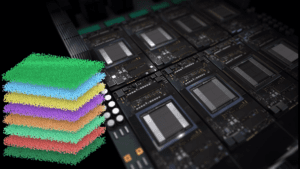
For the SambaNova explainer video, we used both 2D and 3D motion graphics to tell the story. We used 2D for general concepts focusing on the key principles and ideas. We then used 3D to showcase the servers and chips that went into how SambaNova resolved those issues.
With each project, needs will vary, but here are some key methods when considering the best approach for the video.
- 3D animation: Reveal the internal components of a device, showing how individual parts interact.
- Motion graphics: Visualize data, processes, connections, and abstract systems.
- Screen recordings: Demonstrate software functionality through real user interactions.
- Live-action footage: Show the technology operating in real-world environments.
- Creative camera movement: Guide the viewer through a product or system, emphasizing the most important elements.
- Visual metaphors: Use familiar concepts to help explain unfamiliar processes.
The goal isn’t to create visuals that look impressive simply for the sake of it. Every visual should help the viewer understand something.
4) Break Down Complex Concepts Into Smaller Steps
When explaining a complicated technology, it’s tempting to present everything at once. But too much information, especially when delivered too quickly, can overwhelm the viewer.
Instead, structure the video around a sequence of ideas.
Start with the big picture. Introduce the problem the technology solves, then gradually reveal how the solution works. Break complicated processes into manageable steps, allowing the viewer to understand one concept before introducing the next.
For example, a video explaining an AI-powered robotic system might follow this sequence:
Step 1: Perception
Show how the robot identifies objects, interprets its surroundings, and gathers information.
Step 2: Reasoning
Visualize how the system processes information, evaluates options, and makes decisions.

Step 3: Action
Demonstrate how the robot translates those decisions into physical movement.
By separating the process into distinct stages, the video gives viewers a mental framework for understanding the technology. Once they understand the individual steps, it’s easier to appreciate how the entire system works together.
5) Combine Real Product Footage With Animation
For technology products, the most effective videos often combine real footage with animation and visual effects.
Live-action footage establishes credibility and creates an emotional connection. It shows the product in use, its design, its environment, and the people interacting with it. Animation, on the other hand, can explain what’s happening beneath the surface.
A camera can capture the exterior of a device, but animation can reveal its internal components, illustrate how data moves through the system, or demonstrate a process that would otherwise be impossible to film.
For software products, screen recordings can show the actual interface while motion graphics highlight key functionality, visualize data, or guide viewers through a workflow.
The combination of real footage and animation creates a more dynamic storytelling experience while maintaining a connection to the actual product.
Here’s an example of a video where we effectively combined live action with animation.
6) Keep the Script Clear, Conversational, and Focused
A technology video doesn’t need to sound like a technical manual. In fact, overly formal narration and complicated terminology can make even an interesting product feel intimidating.
Write the script as though you’re explaining the technology to someone intelligent who simply hasn’t encountered it before.
Avoid unnecessary jargon. When technical terms are important, introduce them naturally and explain what they mean. Keep sentences relatively short and avoid trying to communicate multiple ideas at once.
Most importantly, don’t make the narration do all the work. The script, visuals, sound design, and editing should work together. If the animation can explain a process clearly, the narration doesn’t need to describe every detail on screen.
A good technology video gives the viewer time to absorb information.
7) Use Editing, Pacing, and Sound to Guide the Viewer
Explaining complex technology isn’t just about what you show. It’s also about how you reveal information.
Editing and pacing can influence how viewers process each concept. A fast-paced sequence can communicate energy, innovation, and excitement, while slower, more deliberate moments can give viewers time to understand an important technical detail.
Use camera movement, transitions, sound effects, music, and visual emphasis intentionally.
- Pacing: Adjust the rhythm of the video to match the complexity of the information.
- Sound design: Use subtle sound effects to reinforce interactions, transitions, and technical processes.
- Visual hierarchy: Highlight the most important elements so viewers know where to focus.
- Transitions: Connect individual concepts into a cohesive narrative.
- Music: Establish the mood and reinforce the personality of the brand or product.
The editing should make the technology easier to follow, not more distracting.
8) Don’t Sacrifice Accuracy for Creativity
Creative storytelling is important, but technology videos also need to be accurate. Particularly when explaining AI, engineering, software, or scientific concepts, visual representations can easily oversimplify a process or misrepresent how a system actually works.
Work closely with product managers, engineers, or technical experts throughout the production process. They can help identify which details are essential, verify technical claims, and ensure that visual metaphors accurately represent the underlying technology.
The goal is to simplify without distorting. A creative visual approach should make the technology more accessible while preserving its credibility.
The Best Technology Videos Make Complex Ideas Feel Simple
Explaining complex technology in a video requires more than a good script or impressive visuals. It requires an understanding of the technology, the audience, and how people process information.
The best videos combine clear storytelling, thoughtful visual design, real product footage, animation, and carefully controlled pacing to transform technical concepts into engaging stories.
When done well, viewers don’t just see what a product does. They understand why it matters.
Need help making a video for your cool product or brand? Contact Picturelab and we’ll discuss.